
Written by: Dariy Bek
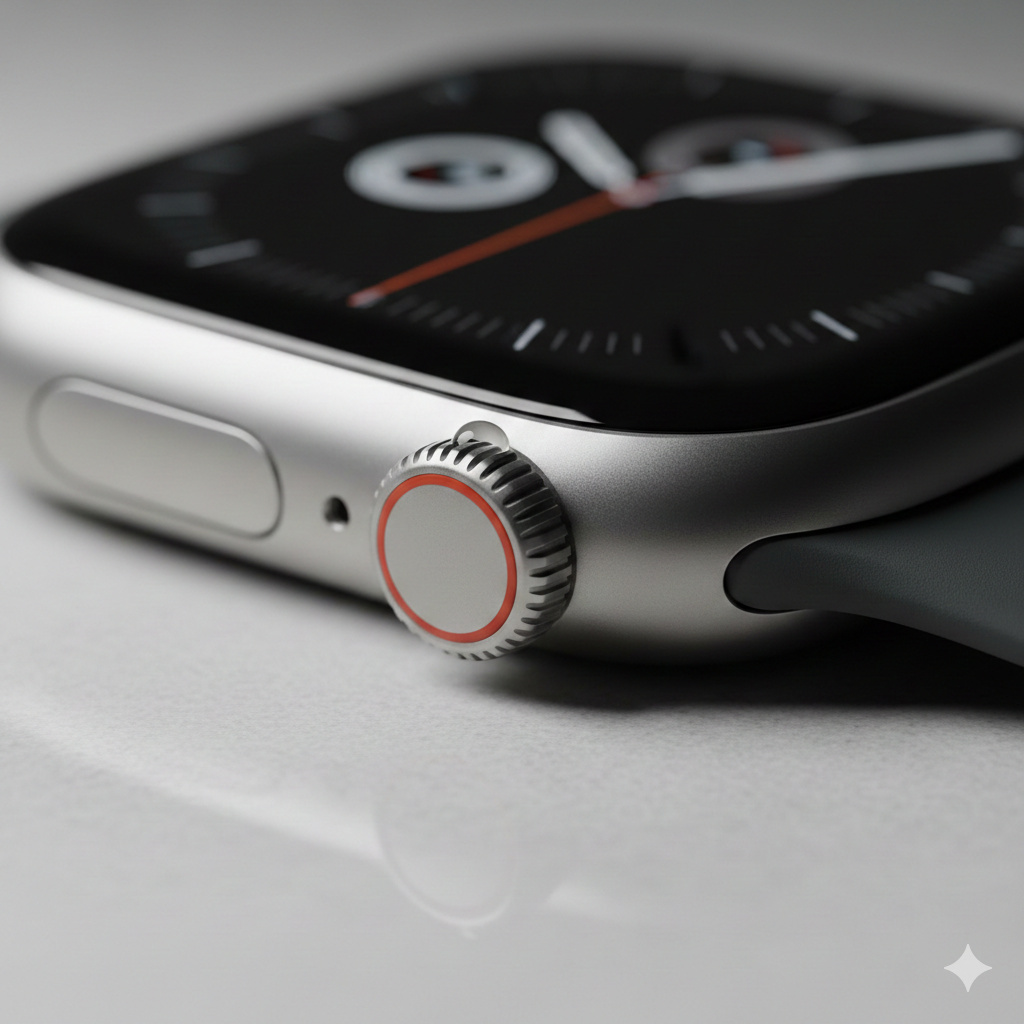
There is a specific kind of panic that sets in when your $800 titanium smartwatch suddenly feels like a paperweight. You go to scroll through your notifications or adjust your workout volume, and the Digital Crown won’t budge, or the rotating bezel on your Galaxy Watch emits a gritty, grinding sound instead of its signature click.
As we move deeper into the 2026 tech cycle, we are seeing a shift in wearable issues. While software bugs used to be the primary culprit, the increased ruggedization of devices like the Apple Watch Ultra series and the Galaxy Watch Ultra has introduced complex Apple and Galaxy Watch mechanical failures. These aren’t just glitches; they are physical hurdles that require a delicate touch to resolve. Having seen hundreds of these devices on our repair benches, I’ve realized that most users either ignore the friction until the component snaps or try to “force” it back to life—which is the quickest way to void your warranty.
Section 1: Understanding the 2026 Wearable Mechanical Landscape
The 2026 lineup of wearables has pushed the boundaries of durability, but high-tolerance engineering comes with a trade-off: sensitivity to microscopic debris. Both Apple’s Digital Crown and Samsung’s physical (and haptic) rotating bezels rely on tiny gaskets and encoders to translate physical movement into digital commands.
When we talk about mechanical failures in these specific models, we are usually looking at two main culprits: environmental ingress (saltwater, sweat, or dust) and structural misalignment from minor impacts. Unlike older models, the 2026 series uses tighter seals to achieve higher IP ratings, meaning once a grain of sand gets behind the bezel, it has nowhere to go. This often leads to “stiffness” that many users mistake for a software lag.
Section 2: Diagnosing the “Stuck” Sensation
If your device isn’t responding, you need to determine if the issue is a hardware jam or a sensor failure.
The Gritty Crown (Apple Watch Series)
Apple’s Digital Crown uses an optical sensor to track rotation. If the crown turns but the screen doesn’t scroll, the sensor is likely blocked by internal “gunk” or oils. However, if the crown physically resists turning, you are likely dealing with crystallized salt or sugar (from sweat or drinks) acting as a literal wedge in the mechanism.
The Unresponsive Bezel (Galaxy Watch Series)
Samsung’s 2026 Ultra and Classic models have refined the rotating ring. A common point of failure here is the “spring-ball” mechanism. If the bezel feels “mushy” and loses its tactile click, the internal springs have likely lost tension or have been compressed by a side-impact hit. Before assuming the worst, it’s worth checking if you can repair a device through a professional diagnostic rather than attempting to pry the ring off yourself.
Impact Deformations
Modern watches use grade 4 or 5 titanium. While titanium is hard, it is also brittle. A drop on a hard surface might not crack the sapphire crystal, but it can slightly “ovalize” the casing. Even a fraction of a millimeter of deformation can pinch a rotating crown, leading to permanent Apple and Galaxy Watch mechanical failures.
Section 3: Safe Troubleshooting and Maintenance
Before you consider a full replacement, there are a few “human-grade” tactics you can use to clear debris without damaging the internal gaskets.
- The Warm Water Rinse: Apple actually recommends holding the Digital Crown under a light stream of warm (not hot) fresh water for 10–15 seconds while continuously turning and pressing it. Do not use soap or detergents, as these can break down the water-resistant seals.
- Compressed Air (Low Pressure): For Galaxy Watch bezels, a quick burst of low-pressure air can sometimes dislodge trapped grit. Never use high-pressure industrial air, as this can rupture the microphone membranes.
- The “Paper” Trick: Gently sliding a very thin piece of paper between the bezel and the watch body can sometimes hook out hair or lint that has wrapped around the gear.
If these steps don’t restore the smooth “click” of your device, you are likely looking at a component that has been physically compromised. In these cases, it is vital to seek professional help. You can contact us or visit our Sacramento location for a hands-on inspection.
Section 4: Conclusion and Final Thoughts
Mechanical failures in high-end wearables are frustrating because they bridge the gap between “jewelry” and “computer.” When your Apple or Galaxy Watch starts showing signs of mechanical resistance, treat it like a fine mechanical timepiece. Force is your enemy.
Maintaining your device by rinsing it after heavy workouts and avoiding contact with lotions can extend the life of these moving parts significantly. If you’re unsure about the state of your watch, checking our gallery of common repair types might help you identify your specific issue. Stay proactive, and don’t let a small grain of sand turn into a costly screen replacement.
FAQs
Why is my Apple Watch crown hard to turn after a swim?
This is usually due to salt or chlorine crystallization. Even water-resistant watches need a fresh-water rinse after being in the ocean or a pool to prevent the crown from seizing.
Can I use WD-40 on a stuck smartwatch bezel?
Absolutely not. Petroleum-based lubricants will dissolve the rubber gaskets that keep your watch waterproof, leading to immediate internal liquid damage.
Is a stuck bezel covered under standard warranties?
Usually, warranties cover manufacturer defects but not “accidental damage” or “environmental wear.” If there is a visible dent near the crown, it likely won’t be covered.
Disclaimer: This guide is for informational purposes only. Smartwatches are highly sensitive electronic devices. Attempting to disassemble your watch at home can result in a loss of water resistance or permanent damage. Always consult with a professional technician if basic cleaning does not resolve the issue.